I do a lot of development on a single laptop.
Vibe coding gives me some free time while the AI finishes its work. But if I get completely absorbed in something else, it is easy to miss when the task ends. I prefer to continue with the next task as soon as it finishes.
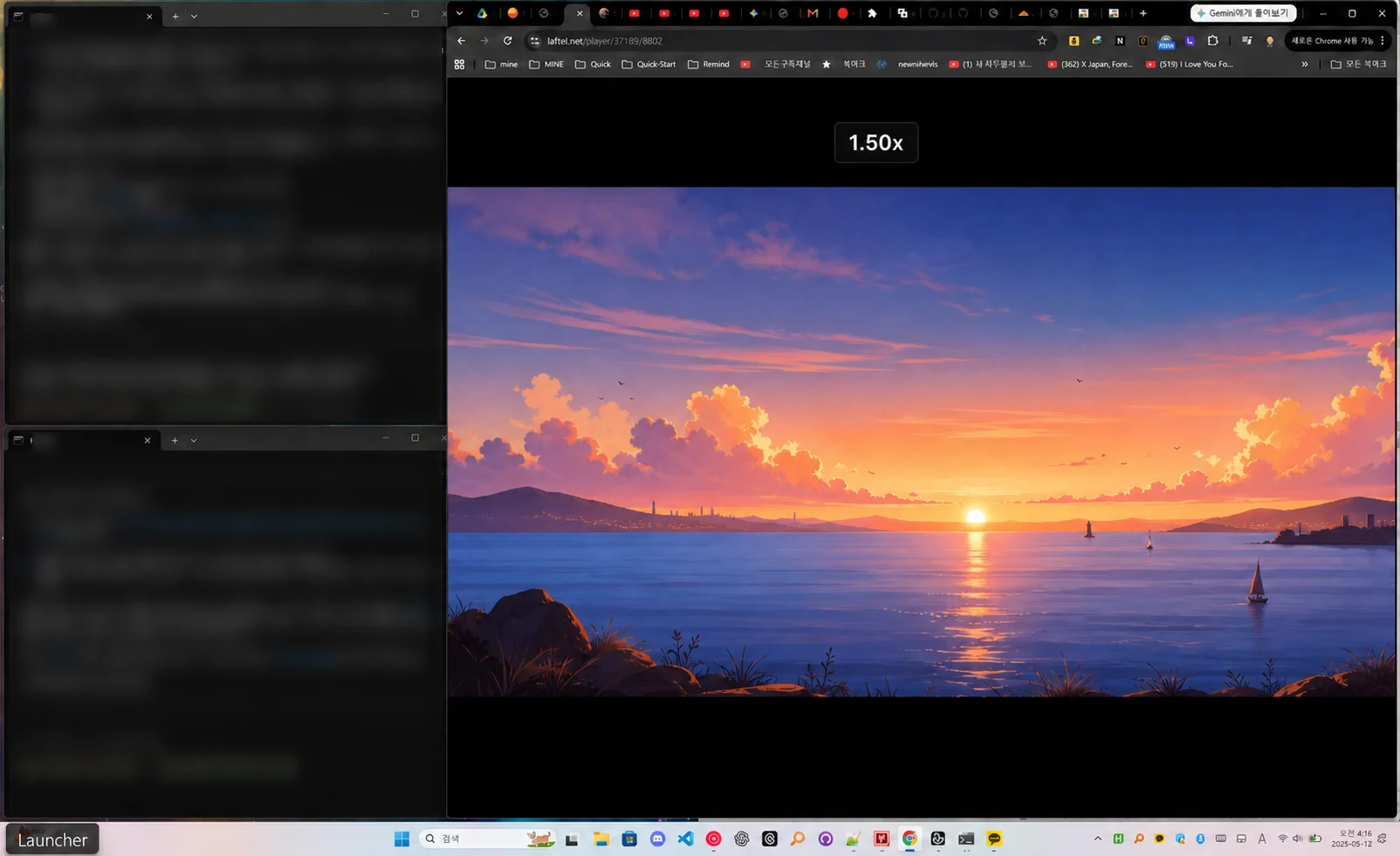
So I split my laptop screen. One third is for AI vibe coding, while I use the remaining two thirds to watch anime or do another light task.
I watch a lot of anime on Laftel, but changing the playback speed meant opening the player menu and choosing the speed again.
That led me to this thought.
Why doesn't Laftel have keyboard shortcuts for changing playback speed?
Laftel Mania is a Chrome extension I built to solve this inconvenience.
Change playback speed with shortcuts instead of the mouse
Shift + , slows playback by 0.25.
Shift + period makes playback 0.25 faster.
The speed can be adjusted from 0.25x to 4.00x.
There is no need to find the player menu. I can change the speed right away with a shortcut.
The extension also remembers the last selected speed. When the next video opens, the previous speed is applied automatically. I do not have to select the same speed every time.
An OSD that shows the new speed immediately
Shortcuts are fast, but without a visible response it is hard to know whether they worked. That is why Laftel Mania displays the current speed near the top of the screen whenever it changes.
For example, values such as 1.25x and 1.50x appear immediately after increasing the speed. The OSD stays visible for about 0.8 seconds and then disappears automatically, so it does not get in the way of the video.
I focused on three things for the OSD:
- Make it easy to notice while watching
- Show the exact current speed
- Make it disappear quickly after confirmation
A focus mode that leaves only the video
When the screen is split, Laftel’s menus and surrounding interface can feel crowded. Pressing Shift + M dims everything around the player and keeps only the video in the center.
The page and video are not reloaded, so playback continues. Pressing Shift + M again returns to the original screen. Pressing / opens a quick guide to the available shortcuts.
The only stored information is playback speed
Laftel Mania stores only the last playback speed. The value stays in the user’s Chrome sync storage and is not sent to a separate developer server.
It does not collect login information, browsing history, anime viewing history, or page content. See the privacy policy for details.
Laftel Mania is an unofficial extension and is not made or approved by Laftel. The current version is 1.3.0 and is available to install from the Chrome Web Store.
The idea was simple. I wanted to watch anime comfortably without missing the time when the AI finished its work. Laftel Mania solves that small inconvenience with shortcuts and an OSD that is easy to see.
In one line: If you vibe code and watch anime on one laptop, try Laftel Mania. I recommend watching at 1.5x.